An EPUB is an open e-book file format that adapts its text and layout to fit any screen, from a phone to a tablet to a dedicated e-reader. The name stands for "electronic publication," and it is the closest thing the publishing world has to a universal standard for digital books. If you have ever downloaded a novel and seen a file ending in .epub, that is what you are working with.
Here is what you need to know right away:
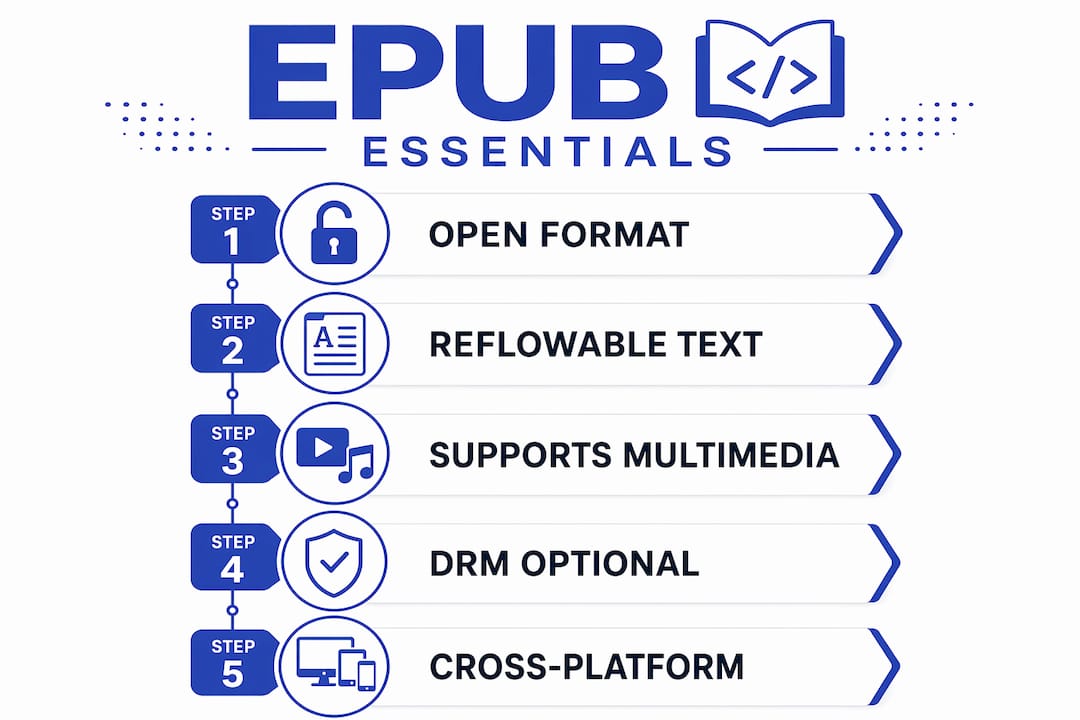
- EPUB is reflowable. The text wraps and resizes based on your screen and font settings, unlike a PDF, which locks everything in place.
- EPUB 3 is the current standard, maintained by the W3C and built on HTML5 and CSS3. It supports multimedia, accessibility features, and complex layouts.
- Most major platforms support it. Apple Books, Google Play Books, and Adobe Digital Editions all read EPUB natively. Kindle handles it through a conversion step via Send to Kindle.
- DRM can restrict access. Some EPUBs from libraries or storefronts carry digital rights management locks that require a specific reader and credentials to open.
Table of Contents
- What is EPUB, and how does it differ from an eBook?
- What an EPUB file actually contains
- How EPUB evolved from version 2 to EPUB 3
- Key features of EPUB and why they matter for readers and publishers
- How DRM and storefronts affect your EPUB files
- How to open and read EPUBs on every major platform
- How to create, edit, and convert EPUB files
- EPUB vs PDF: which format should you use?
- Common EPUB problems and how to fix them
- Why EPUB remains the right choice for modern publishing
- Key Takeaways
- Why Thedigitalreads distributes in EPUB
- Useful sources and further reading
What is EPUB, and how does it differ from an eBook?
The word "eBook" describes the content itself, a book delivered digitally. EPUB is one of several file formats used to package and deliver that content. Think of it this way: an eBook is like a song, and EPUB is the MP3. The song exists independently of the format, but the format determines how you play it, where you play it, and what quality you get.
Other formats exist too. PDF, AZW (Amazon's proprietary format), and MOBI are all ways to deliver an eBook. EPUB stands out because it is open and vendor-independent, meaning no single company owns or controls the standard. That openness is why it works across so many devices and apps without requiring a specific storefront or ecosystem.
The EPUB specification is maintained by the World Wide Web Consortium (W3C), which absorbed the original standards body, the International Digital Publishing Forum (IDPF), in 2017. That institutional backing gives EPUB a stability and interoperability that proprietary formats simply cannot match.
Pro Tip: If a file ends in .epub, any EPUB-compatible reader can open it, provided it is not DRM-locked. You are never tied to one app or one store.
What an EPUB file actually contains
An EPUB is a ZIP archive with a specific internal structure. Rename any .epub file to .zip, extract it, and you will find a small collection of folders and files that together tell a reading app exactly how to display the book.
The key components work like this:
mimetype— A plain text file at the root that identifies the archive as an EPUB. It must be the first file in the ZIP and must not be compressed.META-INF/container.xml— Points the reading app to the package document so it knows where to find everything else.content.opf(Package Document) — An XML file that lists every resource in the book (the manifest), defines the reading order (the spine), and holds metadata like title, author, and language.nav.xhtml(Navigation Document) — Provides the table of contents and other navigation landmarks. A missing or malformed nav file is one of the most common causes of a broken reading experience.- Content files (XHTML + CSS) — The actual chapter text, marked up in XHTML and styled with CSS. Images, fonts, and audio or video assets live here too.
| File | Role |
|---|---|
mimetype | Identifies the file as EPUB to reading systems |
META-INF/container.xml | Locates the package document |
content.opf | Manifest, spine (reading order), and metadata |
nav.xhtml | Table of contents and navigation landmarks |
| XHTML + CSS files | Chapter text, styling, and layout |
| Assets (images, fonts) | Visual and typographic resources |
The reflowable nature of EPUB comes directly from this structure. Because content is written in XHTML and styled with CSS, a reading app can reflow text at any font size, apply user-chosen typefaces, and reformat for any screen width. Fixed-layout EPUBs also exist, where CSS locks the page design, but the default and most common behavior is reflow.
Pro Tip: Rename a .epub file to .zip and open it with any archive tool to inspect its contents. This is the fastest way to diagnose a corrupted file or a missing navigation document.
How EPUB evolved from version 2 to EPUB 3
The EPUB format has a clear lineage. The IDPF adopted the .epub file extension and the underlying Open Publication Structure in September 2007, combining three open standards: OPS, OPF, and OCF. That combination became known as EPUB 2. A minor update, EPUB 2.0.1, followed in 2010, but by September 2014, EPUB 2 was considered obsolete.
EPUB 3 arrived as a significant leap. Where EPUB 2 relied on XHTML 1.1 and a limited CSS subset, EPUB 3 is built on HTML5 and CSS3, the same technologies that power the modern web. That shift unlocked multimedia embedding (audio and video), MathML for equations, interactive JavaScript elements, and far stronger accessibility support through semantic markup and ARIA attributes.
The IDPF merged with the W3C in 2017, bringing EPUB under the same roof as the web standards it already depended on. The current specification, EPUB 3.4, is maintained at W3C. Publishers producing textbooks, educational content, or anything with complex layout increasingly require EPUB 3 because no earlier version can handle those demands.
EPUB 3 is built on the Open Web Platform, meaning it uses the same HTML5, CSS3, and JavaScript foundations as modern websites. That alignment is what makes EPUB 3 the practical choice for accessible, multimedia-rich digital publishing.
Key features of EPUB and why they matter for readers and publishers
EPUB's feature set is what separates it from simpler formats. For readers, the practical advantages show up immediately.
For readers:
- Reflowable text adjusts to any screen size or orientation without horizontal scrolling.
- Adjustable fonts and spacing let you increase text size, switch typefaces, or change line height inside the reading app.
- Embedded fonts allow publishers to include custom typefaces that display consistently across devices.
- Navigation and TOC give you a clickable table of contents and chapter landmarks, so jumping around a long book is fast.
- Accessibility features in EPUB 3 include semantic markup, reading order declarations, and support for screen readers, making books genuinely usable for readers with visual impairments.
For publishers and authors:
- A single
.epubfile distributes across dozens of platforms without reformatting. - Metadata embedded in the package document (title, author, ISBN, language) feeds directly into store catalogs and library systems.
- EPUB 3 supports multimedia and interactive HTML5, making it viable for enhanced textbooks, children's books with audio, and interactive educational content.
- The open-standard base means no licensing fees and no vendor lock-in.
Vendor documentation from Lenovo and others consistently recommends EPUB for device-adaptive reading and accessibility precisely because those features are built into the format's architecture, not bolted on as afterthoughts.
How DRM and storefronts affect your EPUB files
DRM, or digital rights management, is a layer of encryption some publishers and libraries add to an EPUB to control how it is used. A DRM-protected EPUB looks identical to an unprotected one from the outside, but it will not open in just any reader.
The most common DRM scheme in the US is Adobe DRM, used widely by public libraries through platforms like OverDrive and Libby. To open an Adobe DRM-protected EPUB, you need Adobe Digital Editions installed and an Adobe ID linked to the account that authorized the loan or purchase. Without both, the file opens blank or throws an error.
Some storefronts apply their own proprietary DRM. Amazon's Kindle ecosystem, for example, uses its own encryption, which is why Kindle books are not distributed as standard EPUBs. When you use Send to Kindle to send an EPUB, Amazon converts it server-side into a Kindle-compatible format.
Unprotected EPUBs, like those available on Thedigitalreads, open in any compatible reader without credentials. That is a meaningful practical difference: no account required, no app restrictions, no expiration dates.
Pro Tip: If an EPUB opens completely blank, DRM is the most likely cause. Try opening it in Adobe Digital Editions with your Adobe ID before assuming the file is corrupted.
How to open and read EPUBs on every major platform
Opening an EPUB takes about thirty seconds once you know which app to use. The right choice depends on your device.

iOS and macOS: Apple Books is the default and the easiest option. On iPhone or iPad, tap the .epub file and choose "Open in Books." On a Mac, double-clicking the file usually opens it directly. Apple Books handles most EPUB 3 features well, though multimedia support varies by content type.
Android: Google Play Books works reliably and supports EPUB 3. Open the Play Books app, tap the library icon, then upload the file from your device storage. ReadEra is a strong alternative for readers who want a cleaner, ad-free experience with no Google account required.
Windows and macOS (desktop): Calibre is the most capable free option. It manages your entire EPUB library, handles format conversion, and lets you read files in its built-in viewer. Adobe Digital Editions is the right choice specifically for DRM-protected files from libraries or academic sources.
Kindle: Kindle devices and the Kindle app do not natively open EPUB files. The supported path is Send to Kindle, Amazon's free service that accepts an EPUB upload and converts it to a Kindle-compatible format, then delivers it to your device. The conversion is server-side and usually takes a few minutes.
| Platform | Recommended reader | DRM support | EPUB 3 / multimedia |
|---|---|---|---|
| iOS | Apple Books | Adobe DRM via ADE workaround | Good |
| macOS | Apple Books / Calibre | Adobe Digital Editions for DRM | Good |
| Android | Google Play Books / ReadEra | Google Play Books (limited) | Good |
| Windows | Calibre / Adobe Digital Editions | Adobe Digital Editions | Calibre: basic |
| Kindle | Send to Kindle (conversion) | Amazon DRM post-conversion | Limited |
Most opening failures trace back to two causes: a DRM mismatch or a corrupted download. Using the right reader for the DRM type resolves the majority of issues without any conversion needed.
Pro Tip: Test an EPUB in a free reader like Calibre or Apple Books before converting it. Converting a DRM-protected file will fail, and conversion can strip navigation metadata from a clean file if done carelessly.
How to create, edit, and convert EPUB files
Creating a valid EPUB is more approachable than it sounds, especially with the right tools.

Calibre is the go-to free tool for conversion and library management. It converts Word documents, HTML, and other formats into EPUB, handles metadata editing, and includes a basic EPUB viewer. It is not a dedicated authoring tool, but for converting an existing manuscript it is hard to beat.
Sigil is a dedicated, open-source EPUB editor. Open any EPUB in Sigil and you get direct access to the XHTML chapters, CSS stylesheets, and the OPF manifest. It is the right tool when you need to fix formatting, correct metadata, or restructure a book's navigation. The learning curve is gentle if you have any familiarity with HTML.
Adobe InDesign is the professional standard for publishers producing complex layouts. InDesign exports directly to EPUB 3, handles fixed-layout and reflowable outputs, and integrates with publishing workflows that include print and digital simultaneously. For indie authors working in Word or Google Docs, InDesign is overkill, but for illustrated books or textbooks it is the right choice.
Online converters (Zamzar, CloudConvert, and similar services) work for quick, one-off conversions between EPUB and PDF or DOCX. They are convenient but often strip metadata and navigation, so validate the output before distributing it.
A basic creation workflow looks like this: write in a word processor or InDesign, export to EPUB, run the file through EPUBCheck (a free W3C-endorsed validator) to catch structural errors, then test on at least two different readers before distributing. Because EPUB content is already HTML/CSS-based, converting back to HTML for web use is straightforward compared with extracting content from a PDF.
Thedigitalreads accepts EPUB uploads from indie authors directly, making it a practical distribution endpoint at the end of that workflow. Authors retain control of their metadata and pricing, and readers get instant downloads.
Pro Tip: Always validate with EPUBCheck before distributing. A file that opens fine in Calibre may fail on a stricter reading system like Apple Books or a library platform. EPUBCheck catches those issues before your readers do.
EPUB vs PDF: which format should you use?
The choice between EPUB and PDF comes down to one question: does the layout need to be locked, or does it need to adapt?
Choose EPUB when:
- The content is primarily text (novels, essays, textbooks meant for screen reading).
- Readers will use phones, tablets, or e-readers with varying screen sizes.
- Accessibility matters, since EPUB 3 supports screen readers and semantic navigation far better than PDF.
- You want readers to control font size, typeface, and spacing.
- You are distributing through a digital storefront or library platform.
Choose PDF when:
- The layout must be preserved exactly (forms, print-ready books, illustrated art books with precise positioning).
- The document will be printed.
- You need universal rendering with no reading-app dependency, since every device can open a PDF natively.
- Page numbers and fixed pagination are required for citation or reference purposes.
The fundamental difference is philosophical: EPUB prioritizes reader control and device adaptability, while PDF prioritizes design fidelity. A novel in PDF on a phone means zooming and horizontal scrolling. The same novel in EPUB fills the screen cleanly at whatever font size you prefer. For genre fiction, the choice is almost always EPUB.
Common EPUB problems and how to fix them
Most EPUB issues fall into a short list of causes, and most have a quick fix.
File opens blank or shows an error. This is almost always DRM. Open the file in Adobe Digital Editions and sign in with the Adobe ID linked to the account that authorized the purchase or loan. If you do not have an Adobe ID, create one free at Adobe's site.
File will not open at all. Try a different reader first. An EPUB that fails in one app often opens fine in another. Calibre is a reliable fallback because it is tolerant of minor structural errors that stricter apps reject.
Table of contents is missing or navigation is broken. The nav.xhtml file or the OPF spine is likely malformed. Rename the EPUB to .zip, extract it, and inspect the nav file. If you created the file yourself, run it through EPUBCheck to identify the specific error.
EPUB 3 features (audio, video, interactive elements) do not work. Not every reading app supports all EPUB 3 features. Calibre's built-in viewer has limited multimedia support. Apple Books and Google Play Books handle most EPUB 3 content, but complex JavaScript interactions may still fail. Test on the target app before distributing.
File appears corrupted after download. Re-download it. Incomplete downloads produce valid-looking files that are structurally broken. If the problem persists, contact the source.
Pro Tip: If navigation is missing after you receive or create an EPUB, inspect the nav.xhtml and content.opf files directly rather than converting the file to another format. Conversion will not fix a broken nav file and will likely make the metadata worse.
Why EPUB remains the right choice for modern publishing
EPUB's staying power comes from its foundation. Because the W3C EPUB 3 specification is built on the same HTML5, CSS3, and XML standards that underpin the web, it benefits from the same ecosystem of tools, validators, and developer knowledge. Publishers do not need to learn a proprietary system; they are working with web technologies they likely already use.
For creators, the best-practice checklist is short: produce EPUB 3 where possible, validate every file with EPUBCheck before distribution, test on at least Apple Books and one Android reader, and embed clean metadata from the start. Metadata is not optional. Title, author, language, and identifier fields feed directly into store catalogs, library systems, and reading-app displays. A book with missing metadata is harder to find and harder to sell.
For readers, the practical takeaway is simpler: EPUB files from open platforms like Thedigitalreads work on any compatible reader without account restrictions. The free books available on Thedigitalreads are formatted for cross-device compatibility, so whether you read on an iPhone, an Android tablet, or a desktop app, the experience holds up.
The publishing industry's move toward EPUB 3 for interactive and accessible content is not a trend. It is a consolidation around the only open format that can handle the full range of modern digital publishing needs.
Pro Tip: When distributing EPUB files through any platform, include an ISBN or unique identifier in the package metadata. It costs nothing to add and makes the book discoverable in library and retail catalogs that rely on structured metadata.
Key Takeaways
EPUB is the open, reflowable e-book format built on web standards, and it remains the most practical choice for both readers and creators across every major platform.
| Point | Details |
|---|---|
| EPUB is a ZIP-based open format | It packages XHTML, CSS, and XML metadata in a single .epub container file. |
| EPUB 3 is the current standard | Built on HTML5/CSS3, it supports multimedia, accessibility, and complex layouts. |
| DRM requires the right reader | Adobe DRM-protected files need Adobe Digital Editions and an Adobe ID to open. |
| Calibre and Sigil cover most creator needs | Use Calibre for conversion and Sigil for direct EPUB editing and structure fixes. |
| EPUB beats PDF for screen reading | Reflowable text adapts to any device; PDF locks layout for print fidelity. |
Why Thedigitalreads distributes in EPUB
The case for EPUB as a distribution format is not abstract. At Thedigitalreads, the decision to offer EPUB alongside PDF and DOCX comes from a straightforward observation: readers use phones. A genre fiction reader downloading a thriller or a science fiction novel at midnight is almost certainly on a mobile device, and a reflowable EPUB gives them a reading experience that a fixed PDF simply cannot.
For indie authors publishing on the platform, EPUB also means metadata control. An author who embeds a clean title, author name, and genre tags in the package document gets a book that displays correctly in every reading app's library view, not a file named final_draft_v3.epub with no author field. That matters for discoverability, and it matters for the reader's experience when they open their library a week after downloading.
The accessibility argument is the one that gets underweighted in most publishing conversations. EPUB 3's semantic markup and screen-reader support mean that a book published correctly in EPUB 3 is readable by someone using assistive technology. PDF accessibility is possible but requires significant extra effort. EPUB builds it in by default when the author uses proper heading structure and alt text for images.
The format is not perfect. Multimedia support varies across reading apps, and DRM from third-party platforms can create friction that frustrates readers. But for the core use case, affordable genre fiction delivered instantly to any device, EPUB is the right answer. Browse fiction and horror titles on Thedigitalreads and you will find every download formatted to open cleanly on whatever you are reading on tonight.
Useful sources and further reading
For readers and creators who want to go deeper, these are the most authoritative resources available.
Official specifications and standards:
- EPUB 3.4 specification (W3C) — The definitive technical reference for the current EPUB standard, including multimedia, accessibility, and packaging requirements.
- EPUB File Format Family (Library of Congress) — The LOC's format registry entry covers version history, structure, and preservation considerations in detail.
Practical how-to guides:
- How to open EPUB files (Epublys) — Platform-specific steps for opening EPUBs on iOS, Android, Windows, and macOS.
- A look inside an EPUB file (Opensource.com) — A hands-on walkthrough of the ZIP inspection technique and internal file structure.
- How to open and convert EPUB files (Kitaboo) — Covers common opening failures, DRM troubleshooting, and conversion workflows.
Tool documentation:
- EPUBCheck — The W3C-endorsed validator for checking EPUB files before distribution. Available free via the W3C GitHub repository.
- Adobe Digital Editions guidance (Adobe) — Covers DRM requirements and how to authorize a device for Adobe DRM-protected EPUBs.
Thedigitalreads resources:
Thedigitalreads offers a growing catalog of EPUB-format genre fiction, from science fiction and fantasy to horror, thriller, and romance. Every title is available for instant download and works across all major reading apps and devices.
- Browse the full catalog — Find free and affordable EPUB titles across all genres.
- New science fiction titles — Upcoming EPUB releases for science fiction readers.