
Yes, you can self-publish an ebook and get it live on major stores worldwide within days, not months. The path is straightforward: finalize your manuscript, prepare a clean EPUB or DOCX file with a properly sized cover, then decide whether you're going exclusive with one retailer or wide across several. Once your files meet platform specs, most uploads go live within 24 to 72 hours.
TL;DR:
- Self-published ebooks can go live within 24 to 72 hours if files meet platform specifications and initial preparation is complete.
- Overall production costs range from $500 to $5,000, mainly for editing and cover design, though DIY options lower expenses significantly.
- Quality editing through three stages—developmental, copyediting, and proofreading—is crucial to avoid negative reviews and ensure professional standards.
- Authors should choose their publishing platform based on their audience: Amazon offers maximum reach, but other stores and aggregators expand international and niche access.
- Enrolling in Amazon KDP Select limits distribution to Amazon but may be beneficial for series or genres heavily reliant on Kindle Unlimited page reads.
Table of Contents
- Why Self-Publish an Ebook: Timeline and Cost Expectations
- Manuscript Prep: Editing, Proofing, and Final Polish
- Cover Design and Ebook Formatting: EPUB, DOCX, and File Specs
- Where Should You Publish Your Ebook?
- Should You Go Exclusive with KDP Select or Wide?
- Metadata, Pricing, and How Royalties Actually Work
- Your Upload and Publish Checklist
- Launching Your Ebook and What to Do After Publication
- How The Digital Reads Supports Self-Published Authors
- An Author's Take: What Actually Trips People Up
- Ready to Publish? Start With The Digital Reads
- Sources
- FAQ
Why Self-Publish an Ebook: Timeline and Cost Expectations
Self-publishing hands you three things traditional publishing rarely offers a new author: control over your book's content and cover, a bigger cut of every sale, and a launch date you set yourself instead of waiting on an acquisitions calendar. You don't need an agent's approval to put your thriller in front of readers this quarter.
That said, "fast" is relative. A realistic self-publishing process runs 4 to 12 weeks from a finished manuscript to a live book, depending on how much editing your draft needs and how many platforms you're targeting. Authors who already have a clean manuscript and hire a formatter who works quickly can compress that. Authors juggling a full developmental edit alongside cover design usually land at the longer end.
Cost reality check: Professional-quality self-publishing typically runs $500 to $5,000 total, with editing and cover design eating most of that budget. You can also do it for close to nothing if you handle editing and formatting yourself.
Here's how the money usually breaks down by category:
- Editing: $200 to $3,000, depending on whether you need a full developmental pass or just a proofread
- Cover design: $200 to $2,500 for a custom design; premade covers run far cheaper
- Formatting: $0 to $500, since free tools like Calibre make DIY conversion realistic for most genre fiction
Publishing itself costs nothing on most platforms. Amazon KDP, Apple Books, Kobo, and Google Play Books charge no listing fees. Your only unavoidable expense is producing a manuscript and cover good enough to compete.
Manuscript Prep: Editing, Proofing, and Final Polish
Skipping editing is the fastest way to tank your reviews before your book has a chance. Readers forgive a slow middle chapter. They don't forgive typos on page one.
Editing happens in three distinct stages, and conflating them wastes money:
- Developmental editing looks at big-picture issues: pacing, plot holes, character arcs, structure. This is the most expensive stage and the one worth splurging on if your budget is tight elsewhere.
- Copyediting fixes grammar, consistency, and sentence-level clarity without touching your story's bones.
- Proofreading is the final pass, catching typos and formatting slips right before you convert to EPUB.
Digital retailers function as distributors, not publishers, which means the editorial and production quality is entirely on you unless you hire it out. Amazon isn't going to catch your continuity error. Neither is Kobo.
Vetting an editor matters as much as the edit itself. Ask for a sample edit on two or three pages before committing to a full manuscript. Check their genre experience. A romance-specialist editor knows pacing conventions a general copyeditor might flag as "wrong" when they're actually intentional. For beta readers, recruit at least three to five people who read your genre regularly, not just friends who'll tell you it's great.
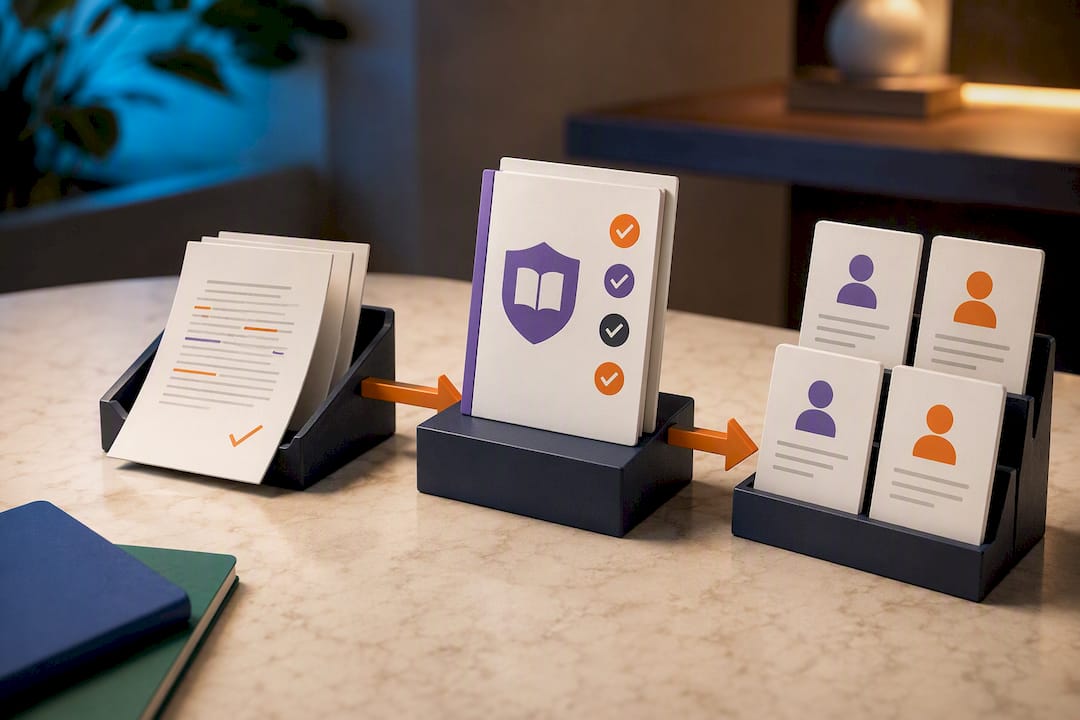
Pro Tip: Run your manuscript through a free grammar checker like the built-in tools in Google Docs or Microsoft Word before you ever send it to a paid editor. You'll save money by fixing the obvious stuff first and let your editor focus on what software can't catch.
Before you touch formatting software, run this checklist:
- Manuscript has been through developmental edit, copyedit, and proofread (or you've consciously decided to skip a stage and know the risk)
- Chapter breaks are consistent and clearly marked
- Front matter (title page, copyright page, dedication) is finalized
- Back matter includes an author bio and a call to action for your next book or mailing list
- A final read-through has happened after all edits, since new errors creep in during revision
Budget roughly two to four weeks for a copyedit and proofread combined on a standard-length novel, longer if a developmental edit comes first.
Cover Design and Ebook Formatting: EPUB, DOCX, and File Specs
Your cover needs to work at thumbnail size, because that's how most readers will actually see it first. Amazon and other retailers recommend cover images of sufficient resolution and correct color profile (JPEG in RGB color mode). Go smaller and your cover looks blurry when a reader zooms in on their tablet. Go with the wrong color mode and colors shift unexpectedly once uploaded.
Format choice depends on your book's content:
- Reflowable EPUB is the standard for most genre fiction, letting text resize and reflow across devices and font settings
- Fixed-layout EPUB suits picture-heavy books like cookbooks or illustrated children's books, where design position matters more than text flexibility
- DOCX works as a source file for conversion but isn't what you'll actually publish. Retailers expect EPUB (or their own proprietary formats derived from it)
Reflowable EPUBs need a linked table of contents and careful image handling to display properly across devices, and getting this wrong is one of the most common causes of rejected uploads.
Tools that handle the heavy lifting: Scrivener lets you compile a manuscript directly into EPUB format with chapter breaks intact, Calibre converts between formats and previews how files render, and Sigil gives you direct control over EPUB code if you need to fix something Calibre can't. Scrivener projects convert cleanly to EPUB when you export with the right compile settings, which is why so many self-published authors build their whole workflow around it.
Before uploading anywhere, run this quality check:
- Table of contents links jump correctly to each chapter
- Chapter breaks display with proper page breaks, not just extra blank lines
- Images are compressed enough to keep file size reasonable but sharp enough to read clearly
- Fonts embed correctly if you used anything beyond system defaults
- You've opened the file in a previewer and scrolled through the whole thing, not just the first chapter
Our guide on converting DOCX to EPUB walks through five workflows if you want a faster path than manual conversion. And if cover specs still feel confusing across retailers, our breakdown of cover sizing by platform covers exactly what each store expects.
Where Should You Publish Your Ebook?
Your platform choice comes down to four categories, each solving a different problem.
Marketplace-dominant platforms mean Amazon KDP, which controls the largest share of ebook readers in most English-language markets. Publishing here gets you in front of the biggest audience, but you're one of millions of titles competing for visibility.
Store-native platforms include Apple Books, Kobo, Google Play Books, and Barnes & Noble Press. Each has its own reader base with different genre preferences. Kobo, for instance, has strong international reach outside the US, which matters if your thriller has crossover appeal in Canada or the UK.
Aggregators like Draft2Digital or PublishDrive push your book to multiple stores from a single upload, trading a small cut of royalties for saved time. Useful if you don't want to manage five separate publisher dashboards.
Direct-sales storefronts, including marketplaces built specifically for indie authors, let you sell directly to readers without a retailer's cut eating into your margin.
Here's what each category actually delivers:
- Marketplace-dominant platforms: maximum discoverability, competitive royalties, but you're exclusive-locked if you join their subscription program
- Store-native platforms: smaller but loyal reader bases, especially valuable for genre fiction with international appeal
- Aggregators: convenience and wide reach with one upload, at the cost of a revenue-share fee
- Direct-sales storefronts: better revenue per sale and a direct relationship with your readers, though you handle discovery yourself
Many authors pair a direct-sales storefront with Amazon KDP, since direct sales offer stronger revenue per copy while KDP delivers the reach a new author needs to get discovered. A platform like The Digital Reads fits into that direct-sales layer, connecting genre fiction authors straight to readers browsing by category rather than competing in an algorithm-driven bestseller list. Starting with that combination, then adding wide distribution later once you understand your audience, beats trying to be everywhere on day one.
Should You Go Exclusive with KDP Select or Wide?
Amazon's KDP Select program pays authors through Kindle Unlimited page reads and offers promotional tools like free days, but it requires exclusivity. Your ebook can't be sold anywhere else, including your own website, for the 90-day enrollment term.
Decide between exclusivity and wide distribution using this framework:
- Choose KDP Select if your genre has strong Kindle Unlimited readership (romance, fantasy, and thriller series readers borrow heavily) and you're prioritizing Amazon-based discovery over building a multi-store presence.
- Choose wide distribution if you already have an audience outside Amazon, you're building a long-term catalog strategy across multiple retailers, or you sell direct through your own site and don't want to give that up.
- Test it if you're unsure: enroll your first book in KDP Select for one 90-day term, track page reads against what wide sales might have generated, then decide for future titles.
Series authors often use a hybrid approach: enrolling book one in KDP Select to build Kindle Unlimited momentum, then going wide with later books once readers are already following the series.
Metadata, Pricing, and How Royalties Actually Work
Your book's metadata, meaning its title, subtitle, description, categories, and keywords, is what determines whether readers ever find it. A description that opens with a flat plot summary loses browsers in the first two lines. A description that opens with tension, a question, or your protagonist's central conflict keeps them reading.
Weak metadata: "This is a story about a detective who investigates a murder in a small town."
Strong metadata: "The body in the lighthouse wasn't supposed to exist. Neither was the secret it was hiding."
Royalty rates vary by price point, not just by platform. Amazon KDP pays up to 70% royalty on ebooks priced between $2.99 and $9.99, dropping to 35% outside that range. Apple Books and Kobo apply similar price-band logic, so pricing your novel at $0.99 or $12.99 quietly cuts your royalty rate in half even before delivery fees. Payouts typically arrive 60 days after the end of the sales month, so plan cash flow accordingly.
For genre fiction specifically, price testing matters more than guessing right the first time:
- Launch new titles at $2.99 to $4.99 to stay in the high-royalty band while remaining competitive with other indie authors
- Test a temporary price drop to $0.99 during launch week to build review momentum, then raise it
- Watch how a price change affects total revenue, not just unit sales, since a lower price with more volume doesn't always beat a higher price with fewer sales
Your Upload and Publish Checklist
Before you hit publish anywhere, work through account setup and file prep in order.
Account setup:
- Verify your identity with each platform (usually a government ID and address confirmation)
- Complete tax interview forms, required before any platform releases payment to you
- Add your bank details for royalty payouts
- Decide on an ISBN: most ebook platforms assign a free proprietary identifier, but you'll need your own ISBN if you want one consistent number across every store or plan to sell in print
File checklist:
- Final EPUB file, tested and error-free
- Cover file at the correct pixel dimensions for each platform
- Book description, categories, and keywords written and proofread
- Author bio and headshot if the platform requests one
- Print-ready PDF interior, only if you're also publishing a paperback
Once files are uploaded, previewing them inside each platform's built-in previewer catches formatting errors before readers do. The most common mistakes at this stage: a table of contents that doesn't link, a cover that's the wrong color mode, and metadata categories that don't match what the book actually is. Fix those before submission, not after a rejection email.
Launching Your Ebook and What to Do After Publication
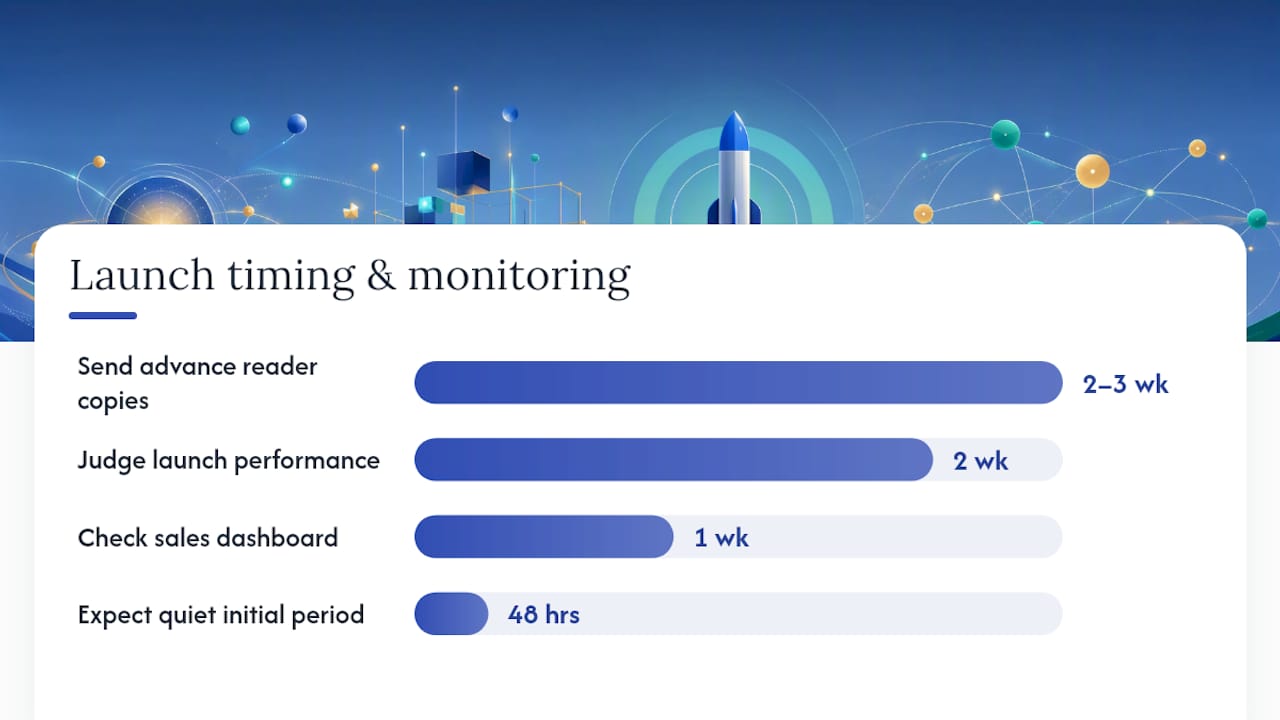
The weeks before your book goes live matter almost as much as launch day itself. Send advance reader copies to a small group two to three weeks ahead of your publish date, so early reviews are waiting when readers first find your listing. Set up a simple landing page and start collecting email addresses even before the book exists as a finished product.
Launch week has a short list of moves that actually matter:
- Keep your price in the $0.99 to $2.99 range for the first few days to encourage impulse buys and early reviews
- Ask your existing readers and beta readers to leave honest reviews the day the book goes live
- Share the launch across whatever social following you have, focusing on genre-specific communities rather than broad posting
- Cross-promote with other authors in your genre if you've built any relationships there
Pro Tip: Don't panic if your first 48 hours look quiet. Most genre fiction builds sales gradually as reviews accumulate, not in one dramatic spike. Judge your launch over two weeks, not two days.
After launch, your job shifts from promotion to observation. Watch your sales dashboard weekly, not daily, since day-to-day swings in a new release are normal and don't mean much on their own. If a category or keyword isn't pulling browse traffic after a month, swap it. If reviews mention a specific issue (confusing formatting, a slow opening chapter), that's worth addressing in a revised edition rather than ignoring.
Building genuine connection with readers in your genre pays off longer than any single ad campaign. Communities built around authentic audience engagement tend to outlast paid promotion, especially in niche genres where readers actively seek out community recommendations over algorithm-driven discovery.
How The Digital Reads Supports Self-Published Authors
The Digital Reads was built around a simple idea: independent authors deserve a straightforward path to readers who actively want genre fiction, without competing against a marketplace dominated by big-five backlists.
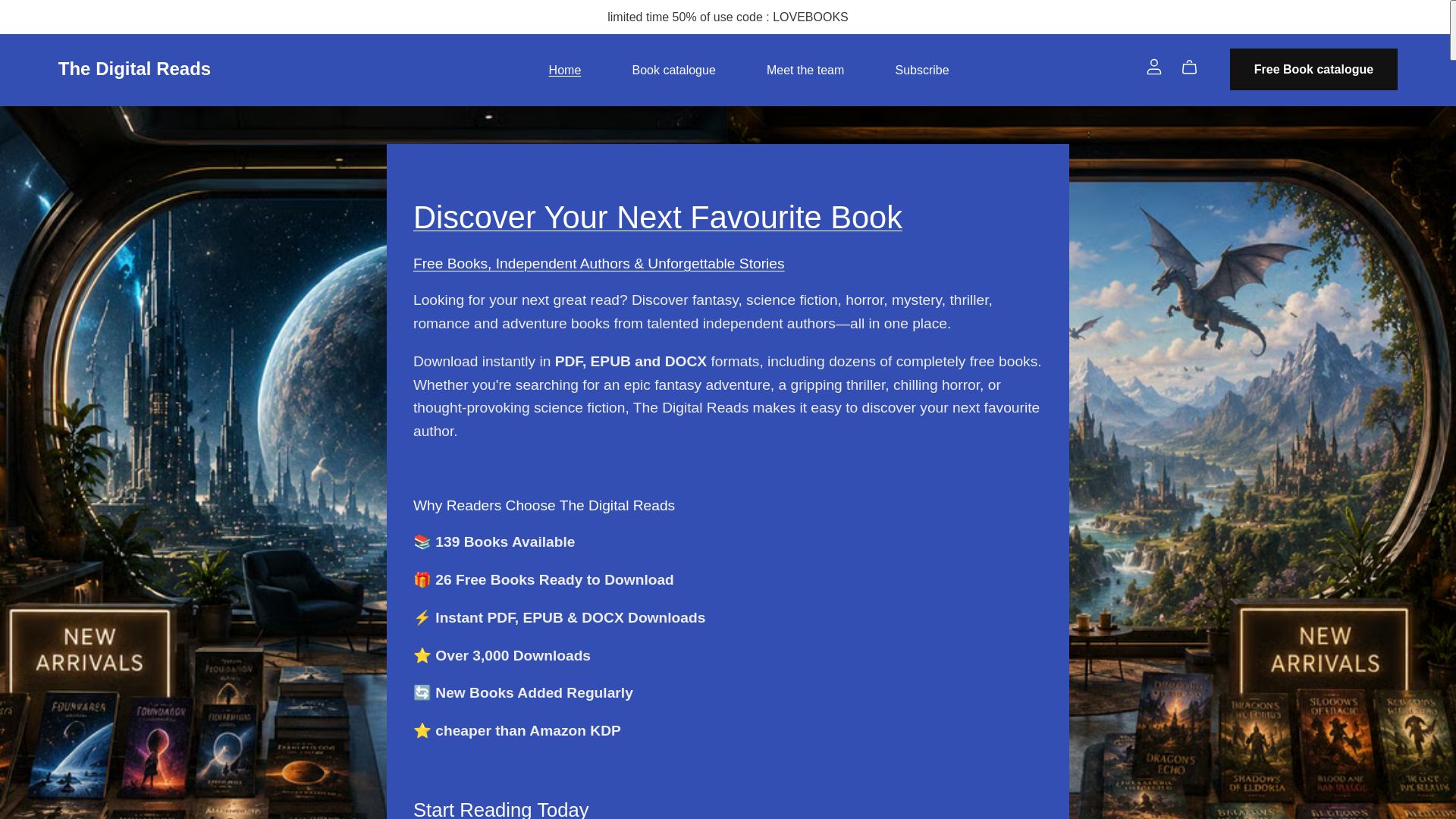
The platform currently carries over 139 titles across science fiction, fantasy, horror, thriller, and romance, including 26 free titles that readers can download instantly. Formats supported include PDF, EPUB, and DOCX, giving authors flexibility in how they package their work.
What authors can expect:
- Self-service upload, so you control when your book goes live without waiting on editorial gatekeeping
- A catalog that's regularly refreshed, keeping both free and paid titles visible to returning readers
- Reader reviews and feedback built into the discovery experience
- Blog content covering reading trends, which doubles as organic exposure for authors whose titles get featured
For authors weighing where to add a direct-sales channel alongside Amazon KDP, The Digital Reads offers a genre-focused audience already primed to discover independent voices they won't find on major retail shelves.
An Author's Take: What Actually Trips People Up
Most first-time self-publishers make the same three mistakes. They rush the cover because they're excited to launch, skip a proper proofread pass because they've read the manuscript so many times they assume it's clean, and pick every category and keyword based on guesswork instead of checking what similar books actually rank under.
None of those are hard to fix. Templates from your formatting tool of choice save hours on the cover-to-EPUB pipeline. A trusted freelance proofreader, even a cheap one-time pass, catches what your own eyes can't after month three of edits. And previewing your file before submission, every single time, takes ten minutes and prevents a week-long rejection cycle.
Your first launch will teach you more than any guide, including this one. Treat it as a rough draft of your process, not a final exam. The authors who build real catalogs are the ones who publish, learn what worked, and adjust for book two.
— richard
Ready to Publish? Start With The Digital Reads
This platform provides a direct channel to genre readers actively browsing for science fiction, fantasy, horror, thriller, and romance, without splitting your royalty with a middleman retailer taking the biggest cut. Unlike a crowded marketplace where your book competes against thousands of unrelated titles, your listing sits alongside books readers are already searching that exact shelf for.
Getting started takes minutes, not weeks. Upload your finished EPUB, DOCX, or PDF, set your price (or list it free if you're building an audience first), and your book joins a catalog that readers can access for both free and paid discoveries. Pair your listing with the blog's how-to content on reading trends to boost visibility further. If you're ready to add a direct-sales channel to your launch plan, create your author listing on The Digital Reads and get your next book in front of readers who are already looking for it.
Sources
A few sources are worth bookmarking as you move through your own publishing timeline:
- Self-publish your book — Jane Friedman
- How to Self-Publish Your Books to Amazon, Apple, Barnes & Noble, Google, and Kobo — Literature & Latte (blog)
- Books
Platform rules shift often enough that checking official docs before each new launch is worth the ten minutes it takes.
FAQ
How much does it cost to publish an ebook?
Publishing itself is free on most platforms, but producing a professional-quality book typically runs $500 to $5,000, covering editing, cover design, and formatting.
Can I publish my ebook for free?
Yes. Listing fees on major retailers and on The Digital Reads are free, and you can handle editing and formatting yourself using free tools like Google Docs and Calibre to avoid nearly all upfront cost.
How many books do I need to sell to make $100,000?
The math depends entirely on your price and royalty rate.
Does Amazon accept self-published books?
Yes, Amazon KDP is built specifically for self-published authors and remains the largest single marketplace for ebooks, with uploads typically going live within 24 to 72 hours once files meet their specs.