
Use EPUB for almost all purposes—EPUB is the recommended format for 95% of modern ebook distribution, while MOBI is a legacy format that is only relevant for very old Kindles without firmware updates. That's the short version, and the rest of this article backs it up with specifics.
Quick verdict:
- Readers: Download and use EPUB files wherever your device supports them. Apple Books, Kobo, Google Play Books, and most reading apps handle EPUB natively.
- Authors: Upload EPUB to Amazon KDP, Apple Books, Kobo, and Google Play Books. KDP accepts EPUB directly and handles internal conversion server-side.
- Legacy Kindle users: If your device is a first- or second-generation Kindle that cannot run current firmware, MOBI or AZW files still work. Otherwise, EPUB is the right call.
- Archive owners: Convert old MOBI libraries to EPUB using Calibre for long-term compatibility. Validate the output with EPUBCheck before archiving.
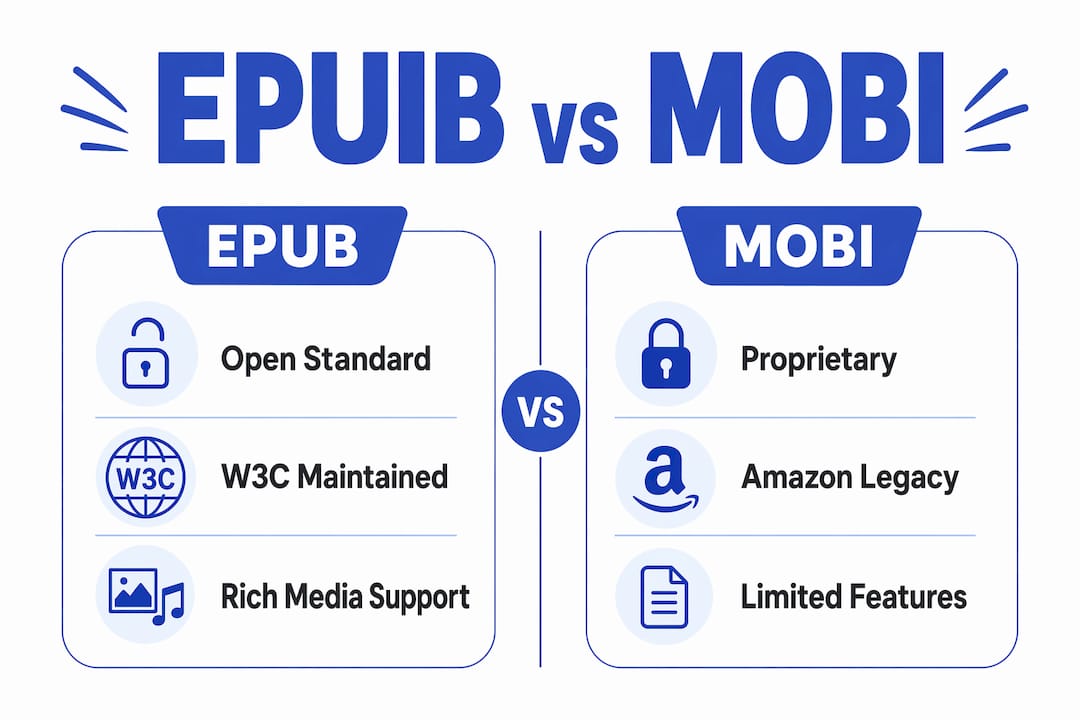
The EPUB spec is maintained by the W3C (formerly IDPF) and is the open standard the publishing industry has converged on. MOBI, by contrast, is a proprietary binary format with roots in PalmDOC that Amazon has largely moved past.
Table of Contents
- What is EPUB and why does it work so well?
- What is MOBI, and is it still relevant?
- How do EPUB and MOBI actually compare?
- Which devices and stores support EPUB or MOBI?
- When should you pick EPUB, MOBI, or PDF?
- How to convert between EPUB and MOBI safely
- A practical publishing checklist for indie authors
- Where EPUB clearly outperforms MOBI on accessibility and features
- Has the EPUB vs MOBI debate actually been settled?
- Key Takeaways
- Why EPUB won, and what authors keep getting wrong
- Get your next read in EPUB format right now
- Sources and further reading
What is EPUB and why does it work so well?
EPUB is an open standard built on the same technologies that power the web: XHTML, CSS, and XML, all packaged inside a ZIP container with a .epub extension. The International Digital Publishing Forum (IDPF) created it, and the W3C now maintains the spec. Because it uses open web standards, any developer can build a compliant reader without paying licensing fees, which is why EPUB support is everywhere.

EPUB 3, the current version, adds HTML5, CSS3, embedded fonts, audio and video embeds, JavaScript-driven interactivity, MathML for equations, and a full suite of accessibility features including semantic markup and ARIA roles. A well-built EPUB 3 file can do things a MOBI file simply cannot: play audio, render complex math, and reflow text cleanly across a 5-inch phone screen and a 13-inch tablet without any manual reformatting.
The reflowable layout is the practical reason EPUB wins for most readers. You set your preferred font size, line spacing, and margin, and the text wraps to fit. Fixed-layout EPUB is also possible for illustrated books, but the default reflowable mode is what makes the format so versatile across devices.
Devices and stores that read EPUB natively include Kobo eReaders, Apple Books on iPhone, iPad, and Mac, Google Play Books on Android and iOS, Barnes & Noble Nook, and dozens of third-party apps. Calibre and Sigil are the standard desktop tools for creating and editing EPUB files, and EPUBCheck is the free validator authors use to confirm spec compliance before uploading.
What is MOBI, and is it still relevant?

MOBI traces back to Mobipocket, a French company whose format Amazon acquired in 2005. The underlying container is based on PalmDOC, a binary format designed for Palm handhelds in the late 1990s. Amazon used it as the foundation for early Kindle devices, which is why MOBI became so common in the 2000s and early 2010s.
The Mobipocket format supports reflowable content, basic CSS, DRM protection, and navigation controls. What it does not support well: modern CSS3 properties, HTML5 multimedia, and the accessibility features that EPUB 3 introduced. Fixed-layout content in MOBI is handled by embedding page images rather than real layout code, which is a clunky workaround compared to EPUB's native fixed-layout spec.
The MOBI family tree looks like this:
- .mobi / .prc — the original Mobipocket format, used on early Kindles
- AZW — Amazon's rebranded MOBI with a different DRM scheme, used on Kindle 2 and 3
- AZW3 / KF8 — a significant upgrade with better CSS support, introduced around 2011
- KFX — Amazon's current internal format, generated server-side from author-uploaded EPUB or DOCX files
The practical upshot: Amazon itself moved on from MOBI. Since 2022, Amazon stopped accepting new MOBI uploads to KDP, and Send-to-Kindle now accepts EPUB directly, converting files to KFX internally. Few memory institutions collect eBooks in Mobipocket format; most preservation efforts focus on EPUB and PDF.
Keep MOBI only when:
- Your reading device is a first- or second-generation Kindle with no firmware update path
- You have an existing MOBI archive you haven't yet migrated
- A specific distribution channel explicitly requires it (rare in 2026)
For everything else, MOBI is technical debt.
How do EPUB and MOBI actually compare?
The table below covers the dimensions that matter most when choosing a format for reading or publishing.
| Dimension | EPUB | MOBI |
|---|---|---|
| Layout | Reflowable (fixed-layout also supported) | Reflowable; fixed-layout via image embeds only |
| Device & store support | Apple Books, Kobo, Google Play Books, Nook, most apps | Legacy Kindles, Amazon ecosystem only |
| Typography & fonts | Embedded fonts, CSS3 ligatures, drop caps | Limited CSS; basic font support |
| Multimedia & interactivity | Audio, video, JavaScript (EPUB 3) | No native audio/video; limited JS |
| DRM | Adobe ADEPT, LCP, vendor DRM | Amazon proprietary DRM only |
| Publisher workflow | Open standard; accepted by KDP, Apple, Kobo, Google | Deprecated for new KDP uploads since 2022 |
| Conversion tooling | Calibre, Sigil, CloudConvert, EPUBCheck | Calibre, legacy KindleGen (discontinued) |
| Future-proofing | W3C-maintained open standard | Proprietary; no active development |
Practical winners by dimension:
- Reflowable layout: Tie — both handle it, but EPUB does it with modern CSS
- Device support: EPUB wins decisively for cross-platform use
- Typography: EPUB wins; embedded fonts and CSS3 give authors real control
- Multimedia: EPUB wins; MOBI has no native equivalent
- DRM flexibility: EPUB wins; multiple DRM schemes available
- Legacy Kindle hardware: MOBI wins for devices that predate firmware support for EPUB conversion
Pro Tip: Use PDF instead of EPUB or MOBI when your book is heavily illustrated, uses precise print-fidelity layouts (art books, photo essays, cookbooks with complex grids), or when you need the page to look identical on every device. PDF locks layout by design, which is a feature for fixed-format content and a problem for standard novels.
Which devices and stores support EPUB or MOBI?
Platform support has shifted significantly since Amazon's 2022 changes. Here's how it breaks down today.
Amazon Kindle and KDP
Modern Kindle devices and the Kindle app do not read EPUB natively on the device itself, but that distinction matters less than it used to. Send-to-Kindle accepts EPUB files and converts them to KFX server-side; authors and readers never need to create KFX or AZW files themselves. KDP accepts EPUB and DOCX for new uploads. Uploading a clean EPUB to KDP is the correct workflow in 2026.
Older Kindle models (Kindle 1, Kindle 2, Kindle DX, Kindle 3) read unprotected MOBI and AZW files directly via USB sideloading. If you own one of these devices and it hasn't received a firmware update that enables Send-to-Kindle conversion, MOBI is still your format.
Apple Books
Apple Books on iPhone, iPad, and Mac reads EPUB natively. Authors distributing through Apple Books Connect upload EPUB files. No conversion step is needed, and EPUB 3 features like embedded fonts and multimedia render correctly.
Kobo
Kobo eReaders are among the strongest EPUB supporters on the market. The devices read EPUB natively, including EPUB 3, and Kobo's store accepts EPUB uploads through Kobo Writing Life. Sideloading EPUB files via USB works without any conversion.
Google Play Books
Google Play Books accepts EPUB and PDF uploads from publishers and reads EPUB on Android and iOS. The app handles EPUB 3 features well, including embedded fonts and basic interactivity.
Cross-device personal libraries
For a personal library you want to read across an iPhone, an iPad, a Mac, and a Kobo, EPUB is the only format that works natively on all of them without conversion. MOBI is useful only where legacy Kindle hardware is in the mix.
When should you pick EPUB, MOBI, or PDF?
The choice comes down to three variables: your device, your distribution channel, and your content type.
For readers:
Pick EPUB if you read on a Kobo, an iPhone, an Android phone, a tablet, or any modern e-reader. It works natively, preserves the author's typography, and lets you control font size and spacing. Keep MOBI only if your reading device is an older Kindle that cannot receive firmware updates enabling Send-to-Kindle EPUB conversion.
For authors and publishers:
Produce EPUB as your master distribution file. Upload EPUB to KDP, Apple Books Connect, Kobo Writing Life, and Google Play Books Partner Center. Trust each platform's internal conversion pipeline for device-specific formats. You do not need to produce KFX, AZW3, or any Amazon-internal format yourself.
Your minimal deliverable set before uploading anywhere: a validated EPUB (run through EPUBCheck), a high-resolution cover image (at least 2,500 pixels on the longest side), accurate metadata (title, author, ISBN if applicable), and your original source file (DOCX or Markdown) kept as a backup.
For fixed-layout content:
Use PDF when the layout must be pixel-perfect: photo books, art-heavy cookbooks, academic papers with complex tables, or any title where the visual design is inseparable from the reading experience. PDF locks the page, which is exactly what you want for those cases and exactly what you don't want for a novel.
How to convert between EPUB and MOBI safely
Conversion is straightforward for text-heavy books. The main risk is losing EPUB 3 features (audio, video, JavaScript) when converting to MOBI, since MOBI has no native equivalent for those elements. Conversion tools preserve text and TOC but will drop multimedia when the target format can't support it.
Recommended tools:
- Calibre — free, open-source, handles batch conversion and metadata editing; the standard tool for MOBI-to-EPUB migration
- Kindle Previewer — free from Amazon; converts EPUB to Kindle formats and lets you preview rendering on simulated Kindle devices
- CloudConvert — browser-based; useful for quick one-off conversions without installing software
EPUB to MOBI (step-by-step):
- Open Calibre and add your EPUB file to the library.
- Right-click the title, select "Convert books," and choose MOBI as the output format.
- Under "Look & Feel," check that font embedding settings match your intent.
- Under "Table of Contents," verify the TOC structure is correct.
- Click "OK" and let Calibre process the file.
- Open the output in Kindle Previewer to check rendering on simulated Kindle screens.
- Note any multimedia elements that were dropped and decide whether to replace them with static alternatives.
MOBI to EPUB (step-by-step):
- Add the MOBI file to Calibre.
- Select "Convert books" and choose EPUB as the output format.
- Set the output profile to "Default" unless you are targeting a specific device.
- Check metadata fields (title, author, cover) and correct any errors from the original MOBI.
- Run the output EPUB through EPUBCheck to catch any spec violations introduced during conversion.
- Preview the result in Apple Books or Kobo desktop to confirm layout and TOC.
Pro Tip: After any conversion, always open the output file on at least two different reading apps before distributing. Calibre's built-in viewer, Kindle Previewer, and Apple Books together cover the three most common rendering engines and will surface most layout problems.
A practical publishing checklist for indie authors
Before you upload anywhere, work through this list. Skipping steps here causes rejections or poor reading experiences that hurt reviews.
File preparation:
- Create your EPUB from a clean source file (DOCX, Markdown, or Scrivener export) using a tool like Sigil, Vellum, or a publishing service
- Embed fonts if your design depends on specific typography; confirm licensing allows embedding
- Optimize images to 72 dpi for screen; keep the cover at full resolution separately
- Set complete metadata: title, author name (as it should appear in stores), series info if applicable, language, and ISBN
Validation and testing:
- Run the EPUB through EPUBCheck; fix all errors before uploading
- Preview in Kindle Previewer (simulates Kindle rendering), Apple Books, and Kobo desktop
- Check the table of contents navigates correctly to every chapter
Distribution:
- KDP: Upload EPUB or DOCX; KDP converts internally to KFX for Kindle devices
- Apple Books Connect: Upload EPUB; supports EPUB 3 features
- Kobo Writing Life: Upload EPUB
- Google Play Books Partner Center: Upload EPUB or PDF
DRM decisions:
DRM (digital rights management) prevents unauthorized copying but also prevents readers from moving files between their own devices. For indie authors, the tradeoff is real: DRM can reduce piracy but adds friction for legitimate readers and can lock your content to a single platform's ecosystem. Many indie authors distribute DRM-free, particularly on platforms like Kobo Writing Life where it's optional. Weigh discoverability and reader trust against piracy risk for your specific audience.
Keep your originals. Store your source manuscript and a validated EPUB master somewhere safe. Every future format you need (PDF, updated EPUB, print-ready file) can be regenerated from those two assets.
Where EPUB clearly outperforms MOBI on accessibility and features
EPUB 3's accessibility support is not a minor upgrade over MOBI. It's a different category of capability.
Accessibility features EPUB supports that MOBI does not:
- Semantic HTML markup (chapter, section, aside tags) that screen readers interpret correctly
- ARIA roles for navigation landmarks
- Read-aloud compatibility with text-to-speech engines
- Alt text for images, properly embedded in the file structure
- Logical reading order declarations, so assistive technology follows the intended sequence
- Navigable table of contents that works with keyboard-only navigation
Advanced features available in EPUB 3:
- Embedded fonts with full CSS3 support: ligatures, drop caps, custom spacing
- Audio and video embeds for enhanced or educational titles
- JavaScript-driven interactivity (quizzes, interactive diagrams)
- MathML for rendering equations in STEM textbooks
- Fixed-layout support for illustrated children's books and comics
MOBI's legacy PalmDOC-based structure limits what CSS and HTML it can render, which means authors who care about typography and accessibility have no good reason to target MOBI as a primary format.
Quick accessibility check for your EPUB:
- Open in a screen reader (VoiceOver on Mac, NVDA on Windows) and confirm reading order
- Verify every image has alt text
- Confirm the TOC is navigable without a mouse
- Run EPUBCheck; accessibility errors appear alongside spec errors
Publishers distributing through library systems (OverDrive, Libby, Hoopla) face accessibility requirements that EPUB 3 meets and MOBI cannot. That alone is a decisive factor for any author targeting library distribution.
Has the EPUB vs MOBI debate actually been settled?
Yes. The publishing industry reached consensus, and Amazon's own platform changes confirmed it.
EPUB is recommended for 95% of modern distribution use cases; MOBI is limited to legacy Kindle hardware. That figure reflects where the industry has landed after years of fragmentation. Amazon's decision to stop accepting new MOBI uploads to KDP and to add EPUB support to Send-to-Kindle was the clearest possible signal from the dominant ebook retailer.
Publishing experts now advise authors to stop formatting for MOBI entirely and produce high-quality EPUB masters instead. Amazon's internal formats (AZW3, KFX) are implementation details that authors never need to touch. Upload a clean EPUB, and Amazon's pipeline handles the rest.
The Library of Congress documents MOBI as a historically significant but technically limited format, with preservation guidance focused on migration to EPUB or PDF. Few memory institutions actively collect new content in Mobipocket format. The Digital Preservation Coalition has noted that Amazon's proprietary formats, especially combined with DRM, represent a long-term preservation risk — another reason to keep EPUB as your canonical file.
AZW3 (KF8) was a meaningful intermediate step that brought better CSS support to Kindle devices around 2011, but KFX is Amazon's current internal format, and neither is something authors need to produce themselves. The workflow is simple: give Amazon a good EPUB, and the platform does the rest.
Key Takeaways
EPUB is the modern standard for ebook distribution; use it by default and convert MOBI archives to EPUB for long-term compatibility.
| Point | Details |
|---|---|
| EPUB is the default choice | Use EPUB for reading and publishing across all modern devices and stores. |
| MOBI is legacy | Keep MOBI only for first- or second-generation Kindles that cannot receive firmware updates. |
| Amazon accepts EPUB now | KDP and Send-to-Kindle both accept EPUB; Amazon converts to KFX internally. |
| Validate before uploading | Run every EPUB through EPUBCheck and preview in Kindle Previewer before distribution. |
| Thedigitalreads offers EPUB and PDF | Browse and download EPUB and PDF titles instantly from Thedigitalreads' catalog. |
Why EPUB won, and what authors keep getting wrong
The format debate is over, but the confusion about workflow isn't. Authors still waste time producing MOBI files, worrying about KFX compatibility, or uploading DOCX to KDP and hoping the conversion looks right. None of that is necessary.
The real issue is that the publishing industry's shift from MOBI to EPUB happened gradually, and a lot of the advice circulating online is three to five years out of date. Guides written in 2019 told authors to produce both EPUB and MOBI. That was reasonable then. It isn't now.
What actually matters in 2026 is the quality of your EPUB master. A clean, validated EPUB with embedded fonts, proper metadata, and a navigable TOC will render well on every platform that matters. Amazon will convert it. Apple will display it. Kobo will read it natively. The only scenario where you need anything else is a legacy Kindle device, and the number of those in active daily use shrinks every year.
The other thing authors underestimate is accessibility. An EPUB that works with a screen reader isn't just good practice for readers with visual impairments. It's a requirement for library distribution channels, and it signals to retailers that the file is professionally produced. Running EPUBCheck takes two minutes. Checking reading order in VoiceOver takes five. These are not optional polish steps; they're the difference between a file that gets accepted everywhere and one that gets flagged.
Get your next read in EPUB format right now
Thedigitalreads carries a growing catalog of science fiction, fantasy, horror, thriller, and romance titles available as instant EPUB and PDF downloads. Every title is available the moment you check out, no subscription required, and many are free or priced under a dollar.
If you just read this article and want to put an EPUB file on your device today, the catalog is the fastest way to do it. The horror collection is a good starting point if you want something you can open in Apple Books or Kobo within the next two minutes. For a broader look across genres, the full catalog covers everything the platform carries. EPUB files from Thedigitalreads work across all the devices covered in this article, and the free books page explains exactly how to get them onto your phone, tablet, or e-reader.
Sources and further reading
These are the primary references used in this article. Each one is worth bookmarking if you work with ebook formats regularly.
- EPUB 3 Specification (W3C/IDPF) — The official spec for EPUB 3; authoritative reference for feature support, accessibility requirements, and format structure.
- Comparison of e-book formats (Wikipedia) — A detailed matrix of format support across devices and reading apps; useful for checking specific device compatibility.
- Mobipocket File Format (Library of Congress) — LOC's preservation assessment of the MOBI format; covers technical history, archival risk, and migration guidance.
- Mobipocket Format Assessment (DPC) — The Digital Preservation Coalition's technical assessment; detailed on DRM risk and long-term preservation concerns.
- EPUB vs MOBI vs PDF (Adobe) — Adobe's practical comparison covering reflowable layout, accessibility, and when to use each format.
- EPUB vs MOBI: Differences and Compatibility (KaijuConverter) — A current, practical breakdown of format differences with guidance on Kindle's current EPUB acceptance.
- EPUB vs MOBI: Which to Use in 2026 (EPUBlys) — Covers Amazon's 2022 deprecation of MOBI uploads and the current KDP/Send-to-Kindle workflow.
- EPUB to MOBI Converter (CloudConvert) — Browser-based conversion tool; useful for quick one-off conversions without installing software.
- BISG (Book Industry Study Group) — Industry standards body; publishes best-practice guides for ebook metadata, accessibility, and distribution workflows.